

Self-Exclusion at JB.COM – Take Control of Your Play
JB.COM provides two distinct voluntary restriction tools for players who want to manage their access to the platform. Time-Out is a short-term break intended for players who need a pause – the account is suspended for the chosen period but remains intact and accessible for certain actions. Self-Exclusion is a longer-term measure for players who recognise signs of problem gambling or want to stop playing entirely – access is fully blocked and cannot be lifted before the exclusion ends. Both tools are available on JB.COM through the account settings and take effect immediately upon activation.
What Is a Time-Out and When to Use It
A Time-Out is a temporary suspension of gambling access for players who need a break without permanently closing their account. It is appropriate in situations where the player wants to reduce their activity, step back after a difficult session, or take a planned pause for personal reasons. The account is not closed – it remains registered and the player can return automatically when the chosen period ends.
Time-Out is suitable for players who:
- Feel they are spending more time on the platform than intended;
- Want a structured pause to reassess their gambling habits;
- Are experiencing fatigue or stress but do not identify signs of compulsive behaviour;
- Want to test how they feel after a period of no gambling before deciding whether to continue.
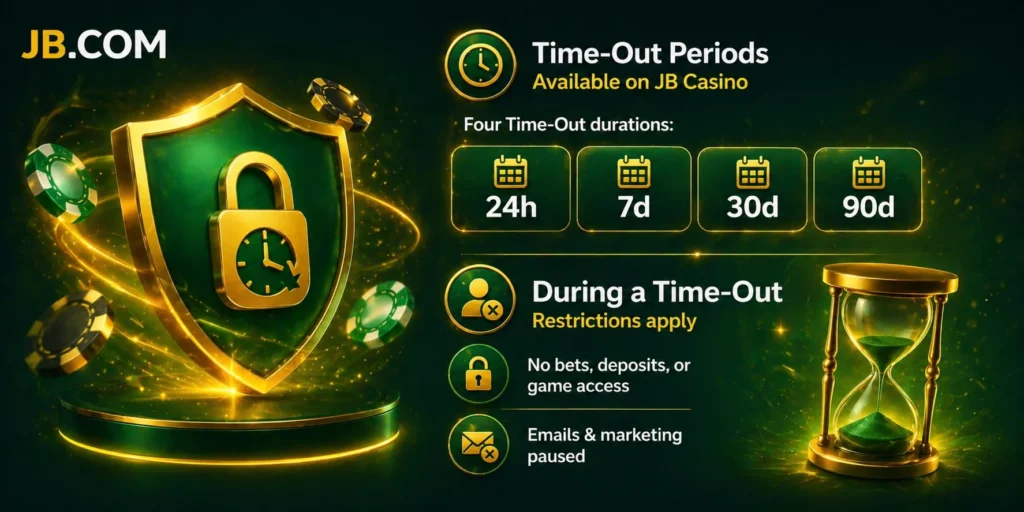
Time-Out Periods Available on JB Casino
Four Time-Out durations are available:
- 24 hours;
- 7 days;
- 30 days;
- 90 days.
Time-Out is activated through the account settings under the Responsible Gaming section. Select the duration and confirm the choice. The suspension takes effect immediately. Early reactivation is not possible – the account does not return to normal access until the selected period expires automatically. There is no option to request an override before the period ends, including through the support team.
What Happens to Your Account During a Time-Out
During a Time-Out, the following restrictions apply:
- Placing bets, making deposits, and accessing the game lobby are all unavailable;
- All promotional emails and marketing communications are paused for the full duration of the Time-Out.
One function that remains available during a Time-Out is account login for the purpose of withdrawing an existing balance. Players who have funds in their account can log in, initiate a withdrawal, and access their transaction history. The suspension covers gambling activity specifically, not account access for financial management.
Self-Exclusion – When You Need a Complete Break
Self-Exclusion is designed for players who have identified signs of problematic gambling or want to remove access to the platform as a protective measure. Unlike a Time-Out, Self-Exclusion is not a pause – it is a full and irrevocable block on account access for the period chosen. The account cannot be reactivated early, and no exceptions are made during the exclusion period.
Self-Exclusion is appropriate for players who:
- Notice they are unable to control the amount of time or money spent gambling;
- Gamble to recover losses rather than for entertainment;
- Experience negative consequences from gambling in their personal, financial, or professional life;
- Have decided they need a structured, enforced break with no possibility of early return.
Self-Exclusion Periods on JB.COM
Six Self-Exclusion durations are available:
- 6 months;
- 1 year;
- 3 years;
- 5 years;
- 10 years;
- Permanent (lifetime exclusion).
Self-Exclusion is activated in the Responsible Gaming section of account settings. Select the period, review the confirmation prompt, and confirm. The exclusion takes effect immediately. The choice is irrevocable – the selected period cannot be shortened or cancelled under any circumstances, including by contacting support. Selecting a longer period provides stronger protection for players with more serious concerns.
What Is Blocked During Self-Exclusion on JB Casino
Self-Exclusion applies a complete access block. The following functions are unavailable for the entire duration:
- Account login – the player cannot access the account from any device or browser;
- Deposits and betting – all gambling activity is suspended;
- Marketing communications – all promotional emails and offers are stopped.
Unlike a Time-Out, login to withdraw a balance is not available during Self-Exclusion. If the account holds funds at the time of exclusion, the player should contact the support team at rg@jb.com before activating the exclusion to arrange withdrawal of the available balance. Once the exclusion is active, the balance is frozen until the exclusion period ends.
Re-Registration During Self-Exclusion
Attempting to create a new account during a Self-Exclusion period is a breach of the platform’s terms. If JB.COM detects a new registration linked to an excluded player – whether by email, device, payment method, or other identifiers – the new account will be closed without warning and any funds held in it may be withheld pending review.
Players who are self-excluded and feel the urge to gamble are strongly encouraged to contact the responsible gaming team at rg@jb.com or reach out to an external support organisation rather than attempting to register again. Bypassing self-exclusion does not remove the underlying risk and may make recovery harder.
How to Activate Time-Out or Self-Exclusion
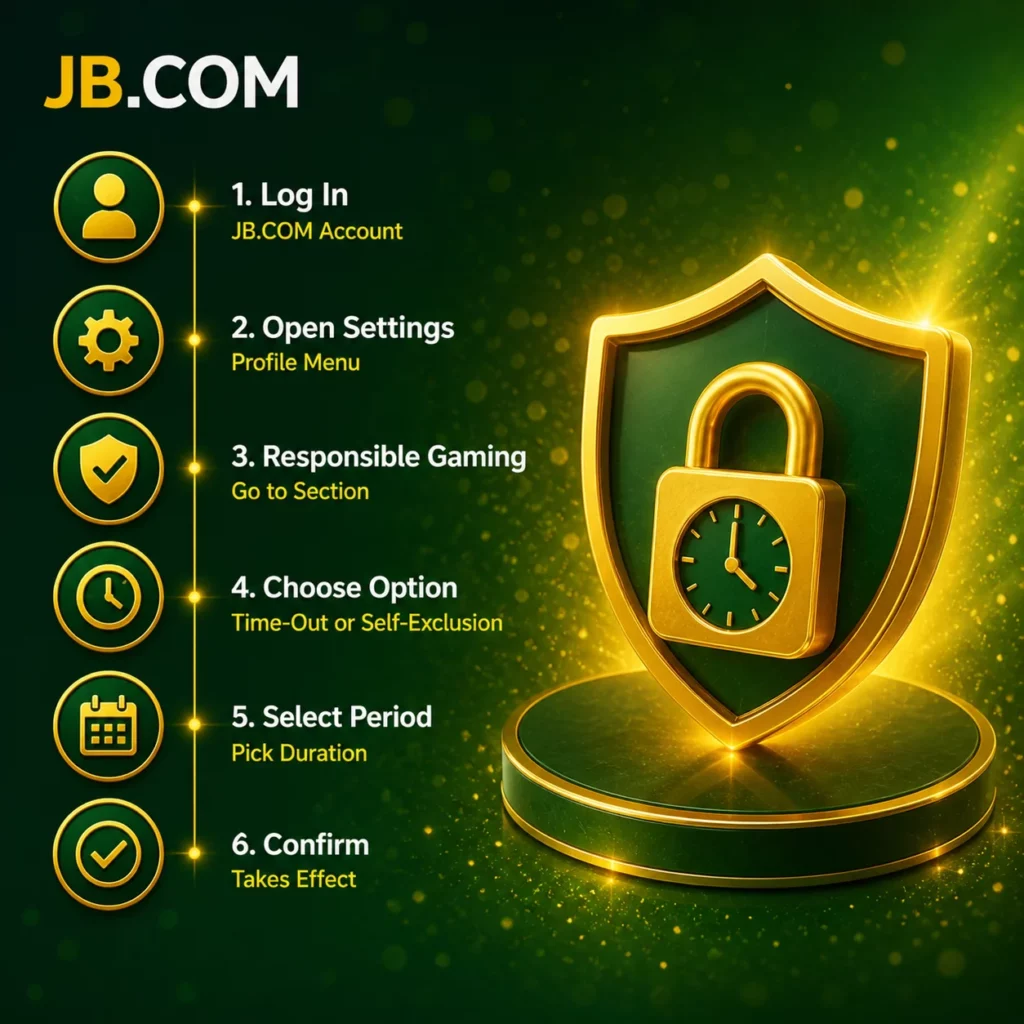
Both tools follow the same activation path within the account:
- Log in to the JB.COM account;
- Open the profile or account settings menu;
- Navigate to the Responsible Gaming section;
- Select either Time-Out or Self-Exclusion;
- Choose the period from the available options;
- Confirm the selection – the restriction takes effect immediately.
No waiting period applies. The chosen restriction is active as soon as the confirmation is submitted. If the account settings are not accessible for any reason, contact the support team via Live Chat or at rg@jb.com and the team will process the activation directly.
Need Help? Contact JB Casino Responsible Gaming Team
Players who want help activating a Time-Out or Self-Exclusion, or who need to discuss their gambling habits, can contact the JB.COM responsible gaming team:
- Email: rg@jb.com – for written requests and documentation;
- Live Chat: available 24/7 on the JB.COM website – for immediate assistance with activation or questions.
If a player cannot access their account to activate the tools themselves, the support team can process the restriction after verifying identity. Independent support organisations that provide free and confidential help:
- Gambling Therapy – online counselling and support available internationally (gamblingtherapy.org);
- GamCare – free helpline and support resources for problem gambling (gamcare.org.uk).
Gamblingtherapy.org also maintains a directory of local support services by country for players who want jurisdiction-specific help.
Frequently Asked Questions
No. Time-Out periods cannot be ended early. The account returns to normal access automatically when the selected duration expires. This applies to all four available periods: 24 hours, 7 days, 30 days, and 90 days.
Active bonuses and any associated wagering requirements are paused during a Time-Out and are cancelled during Self-Exclusion. Self-Excluded players do not retain bonus balances after exclusion ends unless specifically addressed at the time of activation by the support team.
Funds held in a self-excluded account are frozen until the exclusion period ends. To withdraw a balance before activating Self-Exclusion, contact rg@jb.com before confirming the exclusion. Once the exclusion is active, login for withdrawal purposes is not available.
Self-Exclusion takes effect immediately after confirmation in the account settings. There is no processing delay. If the exclusion is requested through support rather than the account settings, the team aims to apply it as quickly as possible after identity verification.
Yes. Players who want to extend an active exclusion can contact rg@jb.com or Live Chat to request a longer period. Extensions are processed in the same way as the original exclusion and take effect from the point of the request.